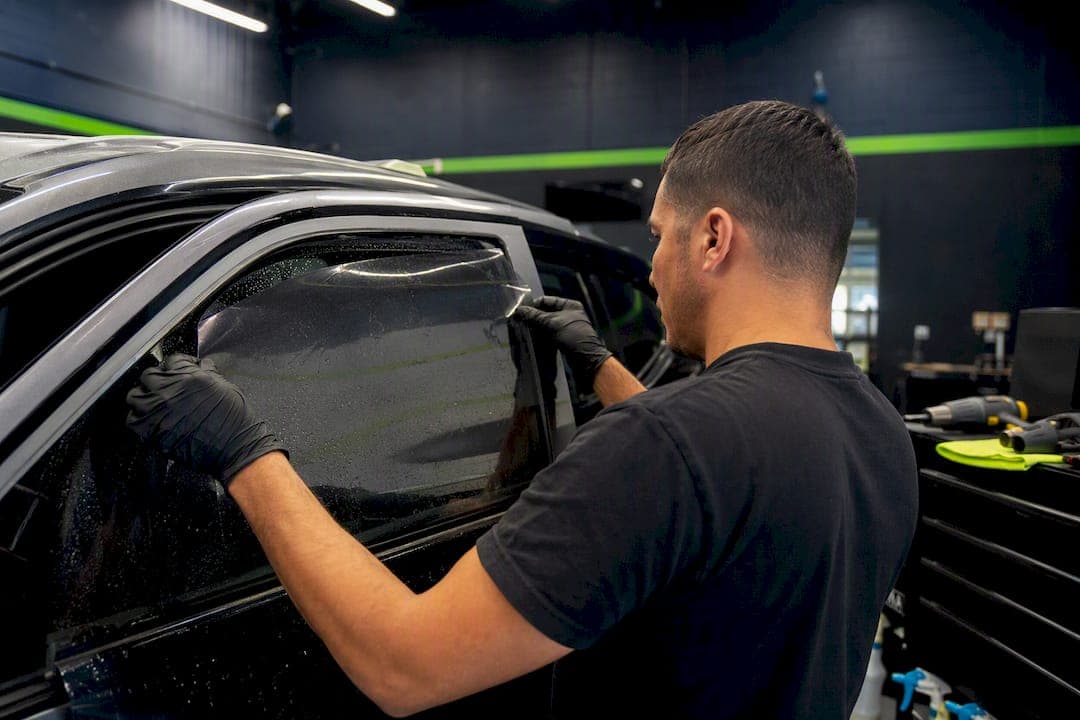
Yes, metalized window tint can interfere with radio-frequency signals. The metal particles embedded in the film reflect or absorb RF waves, which can weaken GPS accuracy, cell reception, AM/FM radio, Bluetooth pairing, and keyless entry range. The severity depends on particle density and how strong your local signal already is. The reliable fix is swapping the affected glass to a non-metallic film like ceramic or carbon, or having an installer run targeted diagnostics first.
TL;DR:
- Metalized window tint can significantly weaken GPS, cellular, Bluetooth, and keyless entry signals, especially when antenna placement is embedded in the glass.
- Thicker, denser metal film blocks more signals, with rear embedded antennas being most susceptible, whereas ceramic or carbon films eliminate RF interference altogether.
- Testing symptoms by comparing signal performance with windows open versus closed helps identify if tint is the cause before seeking professional diagnostics.
- Partial replacement of problematic glass panels with non-metallic film is often the most cost-effective fix, avoiding full re-tints and resolving specific signal issues.
- For connected vehicles, installing ceramic or nano-ceramic films delivers better thermal performance without RF interference, especially important for Tesla and EV owners.
Table of Contents
- What Causes Metalized Tint Interference?
- Which Devices and Signals Are Affected
- How to Test Whether Your Tint Is the Cause
- Fixing Metalized Tint Interference: Your Options
- Choosing Tint for a Connected Vehicle
- How Installers Diagnose and Document Interference
- The Interference Problem Is Real, But It's Overblown in One Direction and Underrated in Another
- Get Your Signal-Safe Tint Sorted the Right Way
- Sources
What Causes Metalized Tint Interference?
Metalized window film gets its heat-blocking power from microscopic metal particles, usually aluminum, sprayed or deposited in layers onto the film substrate. Those particles reflect infrared heat before it enters the cabin, which is exactly why the film feels so effective on a hot day in the parking lot. The problem is that metal doesn't discriminate between infrared light and radio waves. It reflects and absorbs both.
This is loosely the same principle behind a Faraday cage. Enough conductive metal surrounding a space will block or scatter electromagnetic signals trying to pass through it. Your windshield and windows aren't a sealed metal box, so the effect isn't total, but a heavily metalized film across four or five panes creates enough conductive surface area to measurably degrade signal strength, especially for antennas mounted inside the glass itself.
A few factors decide how bad it gets:
- Particle density and film thickness. Denser metal content and thicker laminate layers block more signal, the same way they block more heat.
- Antenna location. Vehicles with GPS, radio, or cellular antennas embedded in the glass (common on rear windshields and rear quarter panels) take the biggest hit, since the signal has to pass directly through the metalized layer.
- Local signal strength. A strong signal environment masks the loss. A weak one exposes it immediately.
Manufacturer spec sheets for reflective films back this up directly. Madico's reflective silver product line publishes solar performance metrics like total solar energy rejection and infrared rejection that come specifically from metal layering, the same layering that interacts with RF signals. Ceramic, carbon, and dyed films skip the metal entirely, using ceramic particles or carbon molecules instead, so they don't create this conductive interference at all.
Pro Tip: If you're not sure whether your current tint is metalized, check the installer's product spec sheet for "sputtered," "deposited," or "metal-hybrid" in the description. Those terms almost always mean metal content.
Which Devices and Signals Are Affected
Not every electronic system in your car reacts the same way, and the symptoms tend to be specific enough that you can often pinpoint the cause without a shop visit. Here's what typically shows up after a metalized tint install:
- GPS: Slower time to first fix, a position that drifts or "wanders" on the map, and dropped signal in urban canyons or parking structures where reception was already marginal.
- Cellular: Fewer signal bars, more dropped calls, and noticeably slower data speeds, particularly in areas where coverage was borderline before the tint went on.
- AM/FM and satellite radio: Static, dead zones, or weaker reception, especially pronounced when the antenna is embedded in the rear glass rather than mounted externally.
- Bluetooth and Wi-Fi: Pairing drops, choppy audio streaming, or hotspot connections that cut in and out inside the cabin.
- Keyless entry and remotes: Shorter unlock range or a fob that needs to be closer to the door than it used to.
According to installer reports collected from industry forum discussions, navigation and keyless entry issues are among the most commonly flagged complaints tied to metalized film, largely because those systems rely on relatively weak signals to begin with. A phone's cellular radio has more power behind it than a key fob's tiny transmitter, so the fob problem often shows up first and gets noticed fastest.
How to Test Whether Your Tint Is the Cause
Before you assume the tint is guilty, run a few checks. Interference symptoms can also come from a failing antenna, a software bug, or just bad coverage in your area, so it pays to isolate the variable.
- Compare open window versus closed window. Try a GPS fix, a phone call, or a keyless unlock with the window down, then repeat with it up. A big difference points straight at the tint.
- Test in multiple locations. Run the same check in a spot with strong coverage and a spot with weak coverage. If the tint is the problem, the gap between the two locations will be more dramatic than it was before the install.
- Try a second device or carrier. If a second phone on a different carrier shows the same pattern, it's less likely to be a device quirk and more likely to be the glass.
- Check your antenna type and location. Pop the trunk or check your owner's manual for whether your GPS, radio, or cellular antenna is glass-embedded or an external mast. Glass-embedded antennas are far more exposed to metalized film effects.
- Log the specifics before you call a shop. Note which device, which app or system, which location, and what changed. That detail saves diagnostic time later.
If you have any signal data from before the tint went on (a saved GPS accuracy screenshot, a note about call quality), that baseline makes the comparison much easier. Without it, a same-day open window versus closed window test is the next best thing.
Pro Tip: Test keyless entry range by walking backward from your car with the fob until it stops unlocking. Do this before and after any tint work, and you'll have a real number to compare, not just a feeling that "it seems worse."
When your own testing shows a consistent gap, that's the point to bring the car to a shop for professional signal testing rather than guessing further.
Fixing Metalized Tint Interference: Your Options
Fixes range from free and immediate to a full panel replacement, and the right one depends on how bad the interference actually is and which system it's hitting.
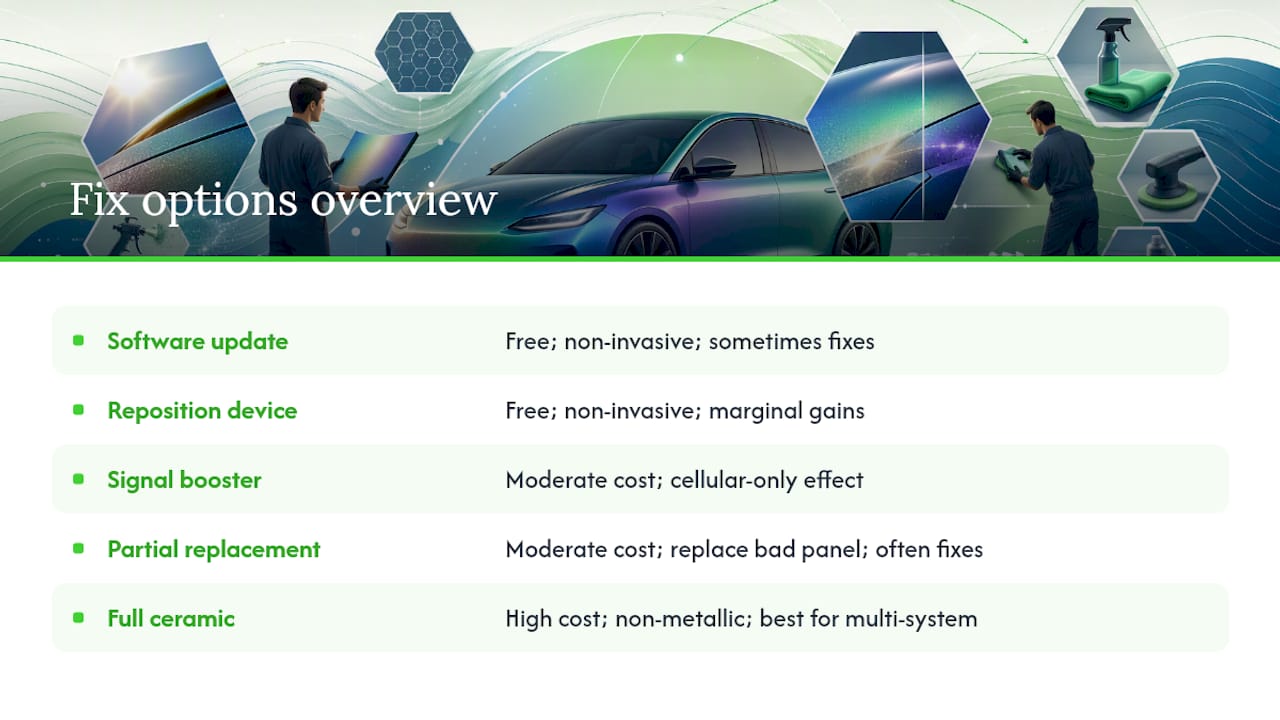
Start with the free stuff. Update your phone's software and your car's infotainment firmware. Reposition your phone in the cabin, since a few inches can matter more than people expect when a signal is marginal. These steps cost nothing and occasionally solve problems that had nothing to do with the tint in the first place.
Signal boosters and repeaters can meaningfully improve cellular and data reception inside a tinted cabin, but they come with real limits. They need to match your carrier's frequency bands to work at all, and they do nothing for GPS accuracy or a glass-embedded antenna struggling with radio or keyless signals. Treat a booster as a patch for cellular issues specifically, not a universal fix.
Partial panel replacement is often the smartest middle ground. Technicians frequently find that the antenna embedded in the rear windshield or a rear quarter panel is the single point of failure, meaning replacing just that pane with a non-metallic film resolves the issue without redoing the entire vehicle. This is dramatically cheaper than a full re-tint and addresses the actual source of the problem in most cases.
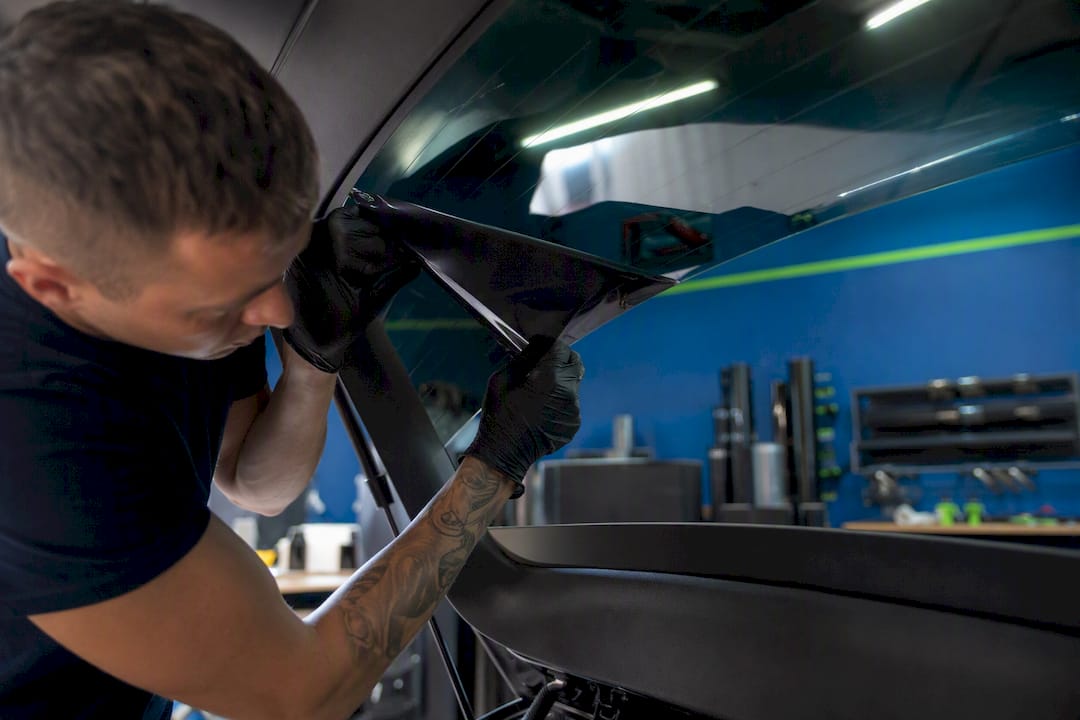
Full replacement with ceramic or nano-ceramic film is the most thorough fix and the one installers recommend when interference affects multiple systems or when the car relies heavily on connected features. Ceramic films use non-metallic particles that deliver comparable or better heat rejection without the RF-blocking behavior, which is why they've become the standard recommendation for tech-dependent vehicles. You can read more about heat rejection performance if you're weighing thermal comfort against the switch.
Antenna relocation or an aftermarket external antenna is the most invasive option and generally reserved for cases where glass-embedded antennas keep underperforming even after a film swap. It's rarely necessary once the metalized film is gone, but it exists for stubborn cases.
For daily drivers packed with connected features, the practical order of operations is: test first, replace the specific problem panel if you can isolate it, and go full ceramic if multiple systems are affected or if you're driving something built around constant connectivity.
Choosing Tint for a Connected Vehicle
If your car leans on GPS navigation, a phone-as-key system, or constant cellular connectivity, the film choice matters more than the tint shade does. Ceramic and nano-ceramic films are the standard recommendation for Teslas, EVs, and any tech-heavy modern vehicle, since they skip the metal layer entirely while still delivering strong UV and heat rejection. If you're specifically shopping for a Tesla or similar EV, a dedicated Tesla tint guide walks through film choices built around those cars' antenna layouts.
Ask any installer these questions before booking:
- Do you run pre-install and post-install signal checks, and will you document the results?
- Is the connectivity performance covered under warranty if something changes after installation?
- Where exactly are my antennas located, and does that change your film recommendation?
Budget matters too. Ceramic film costs more upfront than metalized film, but the lifecycle value tends to even out once you factor in the diagnostic time, potential re-tint costs, and frustration that come with chasing signal problems later. That said, metalized tint isn't universally off the table. An older secondary vehicle with no GPS reliance and an external antenna mast is a reasonable place to still use it if the price difference matters more than the theoretical risk.
How Installers Diagnose and Document Interference
A shop that takes connectivity seriously runs signal checks before touching your glass, then repeats the same tests after installation using the same device, same location, and same app. That before-and-after comparison is what turns a vague complaint into a documented result. Prestige Protective Films and other installer resources describe this kind of testing as standard practice for any shop working on connectivity-sensitive vehicles.
At Tintandwrapscustoms, that process happens inside a climate-controlled facility, which matters for adhesive cure quality as much as it does for signal testing accuracy, and every install carries a manufacturer-backed warranty. A typical case looks like this: a customer reports a keyless fob that needs to be pressed against the door to work. Diagnosis traces it to metalized film over a rear quarter panel with an embedded antenna. Replacing that single pane with ceramic restores normal range within days.
| Bring to your appointment | Why it matters |
|---|---|
| Specific symptoms (dropped calls, fob range, GPS drift) | Narrows the diagnosis fast |
| Devices and carriers tested | Rules out a device-specific issue |
| Locations where it's worst | Confirms signal environment role |
| Desired outcome (full replace vs. panel swap) | Sets realistic cost expectations |
The Interference Problem Is Real, But It's Overblown in One Direction and Underrated in Another
Most of the online chatter about tint and signal loss treats it as either a myth or a guarantee, and both takes miss the point. The mechanism is real. Metal reflects RF the same way it reflects heat, and installer testing consistently confirms it. But the conventional advice to "just avoid metalized tint" skips the more useful question: which panel is actually causing your problem?
In my read of how these cases usually play out, the antenna location matters more than the tint brand or the tint percentage. A full re-tint sounds like the safe answer, but a targeted panel swap solves the same problem for less money and less downtime in a lot of cases. The overrated fix is the signal booster. It's marketed as a universal patch, but it does nothing for GPS or a fob struggling through metalized rear glass, and treating it as a full solution just delays the real fix.
What actually deserves priority is testing before assuming. Run the open window versus closed window check first. It costs you five minutes and tells you more than any forum thread will.
— Jake
Get Your Signal-Safe Tint Sorted the Right Way
If you've read this far because your fob range dropped or your GPS started wandering after a tint job, you don't need to guess your way through a fix. Tintandwrapscustoms runs pre and post-install signal checks as standard practice, so you know exactly what changed before you commit to a full re-tint. That's the difference between a shop that installs film and a shop that actually solves the problem you came in with.
Every install happens inside a climate-controlled facility with manufacturer-backed warranties, and the team has specific experience with Tesla and EV antenna layouts, so connected features stay reliable after the work is done, as explained in this Ford Mach-E owner phone-as-key and low upkeep won me over | FrenzyCars article. Whether you need a single rear quarter panel swapped to ceramic or a full vehicle re-tint, the process starts with an inspection and a straightforward look at where your antennas actually sit. Schedule an inspection at Tintandwrapscustoms and get a clear answer on what's causing the interference and what it takes to fix it.